Can ChatGPT Make a Floor Plan? What It Can and Can't Do
Yes, partly. ChatGPT can draw a floor plan image, write a room brief or code a DXF file, but not a to-scale plan. What works, what goes wrong, better prompts.
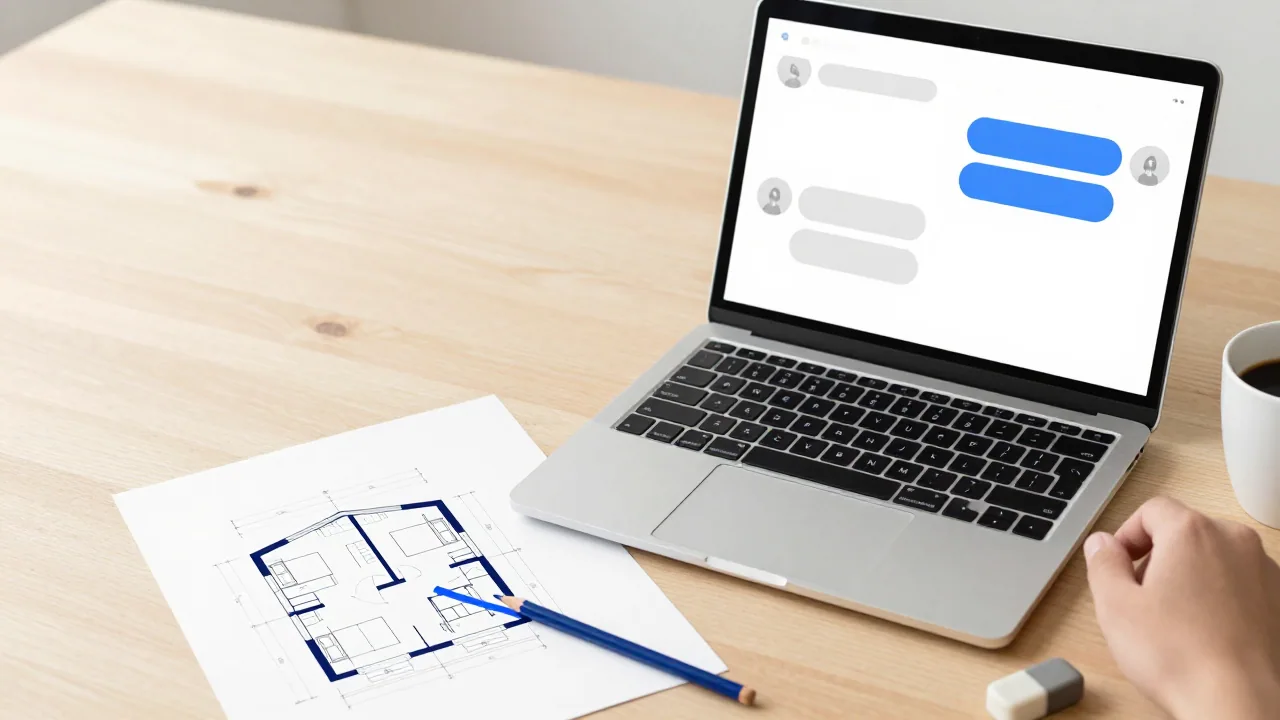
Yes, partly. ChatGPT can draw a floor plan as a picture with its built-in image tool, turn your requirements into a room-by-room brief, write code that outputs a drawing file such as SVG or DXF, and comment on a plan you upload. What it doesn't give you is a measured, to-scale drawing: a generated image is a picture of a plan, and its labels and dimensions have to be checked before anyone relies on them.
We make EZ Floor Planner, an AI floor plan image generator, so we have an interest in this question. Everything we say about ChatGPT comes from OpenAI's own help center, product pages and developer documentation, read on 11 October 2026; the links are at the end. We haven't run a benchmark and report no test results.
What ChatGPT can do with a floor plan request
| You ask for | ChatGPT feature | What you get | Main limit |
|---|---|---|---|
| A floor plan picture | ChatGPT Images | An image you can save, edit by area or regenerate in another aspect ratio | Not to scale; labels and dimensions can be wrong |
| A clean plan from your rough drawing | Sketch, plus a description | An image that follows your drawing | Still a generated image |
| A room list or written brief | Ordinary chat | Rooms, target sizes, adjacencies and an area total | No drawing; check the arithmetic |
| A drawing as code | The Python tool, or code in the answer | An SVG or DXF file with walls at real coordinates | Only as right as the coordinates |
| Feedback on an existing plan | Image upload | Comments on layout and circulation | Weak at reading exact dimensions and line types |
1. A floor plan image with ChatGPT Images
Ask for an image in the conversation, or open Images and type a prompt. OpenAI's help center says ChatGPT Images is available on every plan, on the web, iOS and Android, and can add text, edit an uploaded image from a description and generate in any aspect ratio. The current version, ChatGPT Images 2.5, was announced on 8 September 2026 with "more precise editing" and more reliable instruction-following across several edits.
| ChatGPT plan (US) | Price | Images, as the pricing page describes them |
|---|---|---|
| Free | $0 | Limited image creation |
| Go | $8/month | More image creation |
| Plus | $20/month | More complex and accurate image creation |
| Pro | From $100/month | Unlimited and faster image creation |
It's the fastest way to see a layout idea or show someone what you mean.
What goes wrong
An image model draws a picture that looks like a floor plan; nothing forces that picture to agree with itself. OpenAI's developer documentation for its GPT Image models says the model "can still struggle with precise text placement and clarity", "may have difficulty placing elements precisely in structured or layout-sensitive compositions", and may not keep elements consistent across generations. A floor plan is exactly that kind of picture, full of small text.
Check these in any AI-generated plan, from ChatGPT or any other image generator, ours included:
- Dimensions that don't add up. Room widths along a wall should sum to the overall length. Our prompt guide shows an image from our own tool where 3.2 + 2.3 + 3.0 m was labelled 10.5 m overall.
- Labels that don't match the drawing. A room labelled larger than its neighbour can be drawn smaller.
- Rooms that don't fit the footprint. Nothing checks that your room list fits the area you gave, so add up the labelled areas.
- No real scale. Even with a scale bar in the image, there's nothing reliable to measure from.
- Doors and circulation. Look for rooms with no door, doors swinging into fixtures and hallways that end at a wall.
- Edits that change other things. The help center says the editor's highlights "are not always precise, and edits may extend beyond the area you selected." Compare the whole plan after every edit.
Turning a sketch into a plan
The Images 2.5 announcement introduced Sketch: you draw in ChatGPT, for example the layout of a room, describe what you want, and it turns the drawing into a finished image. The help center describes it in the mobile app, where you type @ and choose Sketch. That gives the model your arrangement to follow instead of one it invents, but the result is still a generated image, so the same checks apply. See also turning a hand sketch into a floor plan.
2. A room schedule or design brief
The most dependable thing ChatGPT does for a floor plan happens before any drawing: turning "a three-bedroom house for a family of four" into a written brief. Ask for a table of rooms with target dimensions, which room opens off which, where the entrance goes, and the total area. Text is easy to check, and it makes a far better input for any drawing tool, human or AI.
Ask it to add up the room areas and compare the sum with the total, leaving space for walls and hallways. Then check the sizes against real ranges in our standard room sizes and minimum room sizes guides: a size can sound reasonable and still not fit a double bed.
3. A drawing as code (SVG or DXF)
If you want lines at exact coordinates, ask for code instead of a picture. ChatGPT can write an SVG file directly, or a Python script that writes a DXF file, the exchange format CAD programs open. OpenAI's help center says ChatGPT can write and run Python in a Jupyter notebook environment, and that files you create in ChatGPT are saved to your Library, where you can download them.
This solves the scale problem: a 4.2 m wall is 4.2 m in the file, and free CAD software such as LibreCAD opens it (see free floor plan software). It doesn't solve the design problem. The model still chooses the coordinates, and code can put a door in the wrong wall as easily as an image can. Keep it to walls, openings and room names, and open the file to check it.
OpenAI notes that this Python environment can't make external web requests, and the help article doesn't list its installed libraries, so a script may need to run on your own computer instead.
4. Feedback on a plan you upload
You can upload a plan image (PNG, JPEG or non-animated GIF, up to 20 MB) and ask what's missing or whether the kitchen works. That kind of discussion is a real strength; reading exact values off a drawing is not. OpenAI's image inputs FAQ says the model may struggle with graphics where lines are solid, dashed or dotted (plans use all three), struggles with precise spatial localisation, may give approximate counts, and resizes images before analysis. Its data analysis article adds that ChatGPT "may not reliably extract exact values from image-based tables, scanned files, or files with complex visual layouts."
For floor area, read the dimensions yourself and use an area calculator. If the symbols are unfamiliar, see our floor plan symbols guide.
Prompts that work better
Write the brief before asking for a picture, keep numbers out of the image, and change one thing at a time.
Before drawing anything, write a room schedule for a single-storey three-bedroom house of about 120 m² on a rectangular plot, with the entrance facing south. For each room give target dimensions in metres and the rooms it opens off. Add up the room areas, compare the sum with 120 m² allowing for walls and a hallway, and tell me if anything does not fit.
Fix the brief in text, before any image exists.
Now draw this schedule as a 2D architectural floor plan: top-down view, black walls on a white background, doors with swing arcs, windows as thin double lines. Label each room with its name only. Do not write any dimension numbers on the plan.
Leaving dimensions off is deliberate: numbers written into an image may not match what is drawn. Keep the sizes in the schedule.
Keep everything else exactly the same. Move only the bathroom door from the bedroom wall to the hallway wall.
Say what to keep and what to move, and use the selection tool on that area if you can.
Write a Python script using the ezdxf library that creates a DXF file of this plan in metres. Draw walls as closed polylines on a layer called WALLS, leave gaps for door and window openings, and place each room name as text at the centre of the room. Also print each room's area so I can check it.
The printed areas give you a quick check against the schedule.
More on writing briefs is in our AI floor plan prompt guide.
When ChatGPT isn't the right tool
- You want to keep editing and measuring the plan. Use a floor plan editor; several have free tiers, compared in free floor plan software.
- You want many plan images in consistent drawing styles. Dedicated generators add floor plan styles and controls; see the best AI floor plan generators.
- The plan decides money, structure or a permit. Use a measured survey and a licensed professional. No chat assistant or AI generator, ours included, replaces that; see floor plan cost.
Where EZ Floor Planner fits
EZ Floor Planner is an image generator too, so the limits above apply to it as well: the result is a floor plan picture, not to scale, with approximate dimensions, and not CAD. What it adds is a workflow made only for floor plans: six drawing styles (Technical, Blueprint, Colored 2D, 3D Isometric, Realistic, Collage), a Room, House or Custom scope, prompt enhancement that adds floor plan drawing instructions to your brief, and a floor plan editor for changing an uploaded plan. The default model is GPT Image 2.5 Flare, and it also runs Nano Banana and Z-Image. The credit cost is shown before each run, failed renders are refunded, and results download as PNG or PDF.
We are not affiliated with OpenAI and haven't compared our output with ChatGPT's. EZ Floor Planner is not free: new accounts get 10 welcome credits for the Z-Image draft model, and plans start at $4.95/month billed yearly.
FAQ
Can ChatGPT make a floor plan for free?
Yes, within limits. OpenAI says ChatGPT Images is available on every plan, and the pricing page lists "limited image creation" on the free plan without giving a number.
Can ChatGPT draw a floor plan to scale?
Not as an image. A generated picture has no reliable scale, and its dimension labels can contradict the drawing. For exact geometry, ask for a DXF or SVG file written by code and check it in a CAD program.
Can ChatGPT calculate square footage from a floor plan image?
It can estimate, but OpenAI says it may not reliably extract exact values from scanned or image-based files. Read the dimensions yourself and use an area calculator.
Can ChatGPT make a DXF or CAD floor plan?
Not with its image tool. It can write code that produces a DXF file, but the coordinates are only as good as the brief and need checking.
Is a ChatGPT floor plan good enough for a builder or a permit?
No. Treat it as a sketch for discussion. Construction and permit drawings need measurements of the actual site and, in most places, a licensed professional.
What's the best prompt for a floor plan in ChatGPT?
Start with a written brief: total area, footprint, rooms with sizes, adjacencies and the entrance. Get the numbers right in text, then ask for the image with room names but no dimension numbers, and change one thing per message.