Floorplanner Alternatives: 8 Options Compared (2026)
Eight Floorplanner alternatives compared: browser editors, free desktop software and AI plan generators, with October 2026 prices, limits and sources.
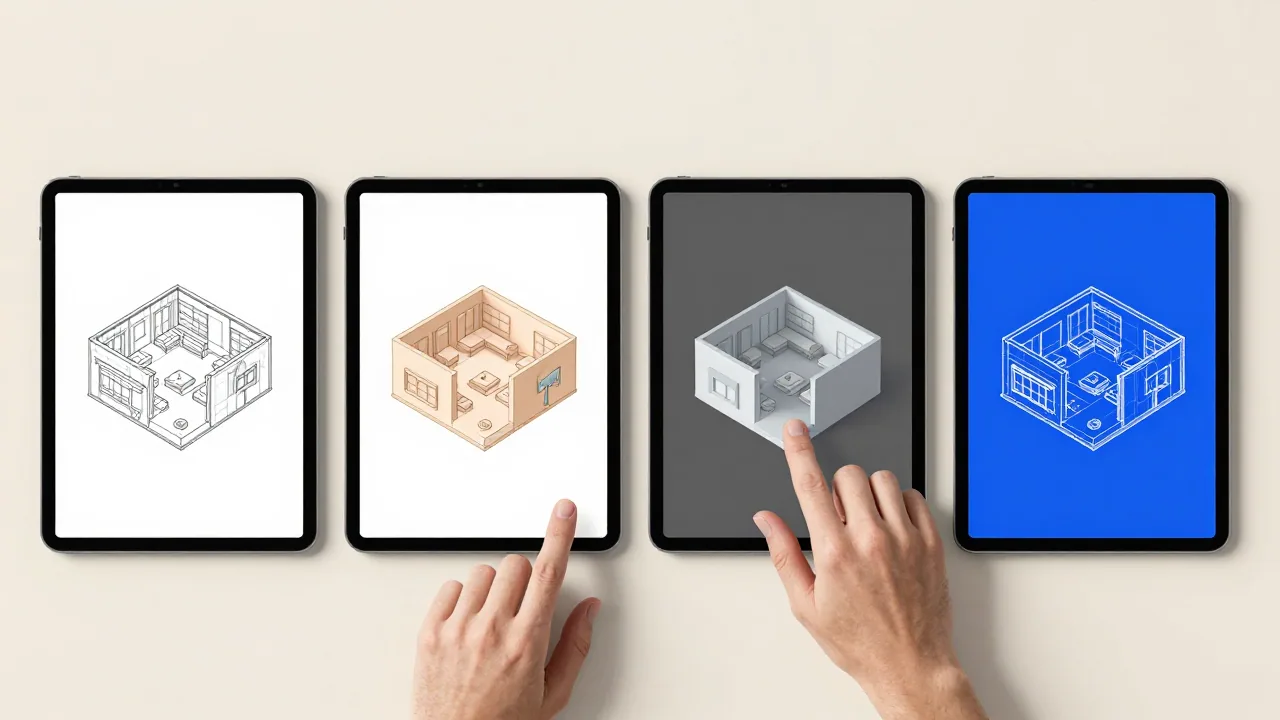
The closest Floorplanner alternatives are Planner 5D and Coohom if you want the same draw-it-yourself 2D and 3D editor in a browser, and Sweet Home 3D if you want free software with no watermark or per-project fees. If you would rather not draw at all, Maket and Floor Plan AI generate an editable plan from a written description, and RoomSketcher converts a plan you already have into an editable project.
We cover eight tools, including EZ Floor Planner, which we make. It turns a description into a floor plan image: quick for comparing ideas, but not an editable or to-scale drawing.
How we put this together
We make one of these tools, so this is not a neutral review. Every fact about another product comes from that company's own website, read on 11 October 2026; links are at the end. We ran no tests, so there is no ranking. Prices are US dollars from US pages, before tax, and change often. Our one-to-one comparison is EZ Floor Planner vs Floorplanner.
What Floorplanner is, and what it costs today
Floorplanner is a browser-based floor plan editor, running since 2007. You draw walls, doors and windows, see them in a real-time 3D view and furnish the plan from a large library (its homepage says over 260,000 3D models; other pages on its site give lower figures). Magic Layout furnishes a room in a style you pick, but we found no tool that generates the plan itself from a description.
| What you pay for | Price (October 2026) | What it gets you |
|---|---|---|
| Basic account | Free | Up to 5 projects of 3 floors and 3 designs; SD exports (960 × 540) with a watermark, one every 10 minutes |
| Credits | 5 for $8.15 up to 100 for $163.00 | Project upgrades and extras such as 3D tours |
| Plus / Pro | $5/month with 4 credits / $29/month with 25 credits | No wait between exports; cheaper extra credits |
| Project upgrade | 2, 5, 10 or 20 credits, once per project | No watermark, up to 7 floors, PDF and DXF export, 3D exports from SD up to 8K |
For an occasional project that is cheap: $8.15 of credits upgrades one project to HD. People look elsewhere for clean or CAD exports without per-project fees, a desktop app, AI drafting, or plan conversion.
At a glance
| Tool | How you make the plan | Free option | Paid from (Oct 2026) |
|---|---|---|---|
| Coohom | Draw in the browser, or start from a plan image | 3 projects, watermarked 1K renders | $25/mo billed yearly |
| EZ Floor Planner | Describe it; an AI model draws an image | 10 welcome credits, draft model only | $4.95/mo billed yearly |
| Floor Plan AI | Generate from a description, then edit | Free credits (amount not stated) | $119/yr, or $19.99/mo |
| Maket | Generate from a description, then edit | 30 one-time credits, no downloads | $20/mo |
| Planner 5D | Draw in the browser or on mobile | Unlimited projects, half the catalog | $59.99/yr, or $19.99/mo |
| RoomSketcher | Convert a plan, or draw in its computer or tablet app | 2 credits and 1 AI conversion | $12/mo billed yearly |
| SketchUp | Model in 3D in the browser | SketchUp Free | Go: $10.75/mo billed yearly |
| Sweet Home 3D | Draw in a desktop, mobile or browser app | Free download, open source | Free; paid store editions |
Editable 2D and 3D plans in the browser
These two are closest to Floorplanner: you draw and furnish the plan yourself.
Coohom
- What it does
- A browser-based 3D home design platform. Draw a plan from scratch, or upload a plan image and use its AI planning tools, then furnish it from over 1 million branded 3D assets and render it.
- Pricing
- Basic is free: 3 projects, 1K renders with a watermark. Pro is $25/month billed yearly ($300), shown as a limited-time offer; Elite is $58 per seat per month billed yearly.
- Versus Floorplanner
- One subscription instead of per-project fees, built around rendering: Pro includes unlimited 4K renders and 8K 360° walkthroughs.
- Limits
- Downloadable floor plan drawings are listed on Elite and above only, and its FAQ says projects cannot be exported to other software.
Planner 5D
- What it does
- A 2D and 3D home design editor on the web and on mobile. Premium adds AI recognition that turns an uploaded plan into an editable 3D project.
- Pricing
- Free is $0 with unlimited projects and 50% of the catalog. Premium is $19.99/month or $59.99/year; Professional $49.99/month or $399.99/year.
- Versus Floorplanner
- Unlimited free projects, and real-time shared editing on every plan, including Free.
- Limits
- CAD export is a Professional feature, and its 10,000+ item catalog is far smaller than Floorplanner's library.
Free software with no export fees
Sweet Home 3D
- What it does
- Draw your plan, furnish it and view it in 3D, on Windows, macOS, Linux, iOS, Android or in a WebGL browser. You can trace an imported blueprint and export PDFs, images, videos and 3D files.
- Pricing
- Free and open source (GNU GPL). Paid store editions bundle about 10,800 furniture pieces; their prices are not stated on its site.
- Versus Floorplanner
- No credits, watermark or export wait, and the desktop version runs on your own computer.
- Limits
- The free Windows download includes only 100 furniture pieces (929 on macOS), though extra libraries are free to download. We found no AI features.
SketchUp (Free and Go)
- What it does
- A general-purpose 3D modeler, not a dedicated floor plan app. SketchUp Free runs in the browser and exports SKP, PNG and STL, with 10 GB of cloud storage.
- Pricing
- Free costs nothing. Go is $10.75/month billed annually (web and iPad); Pro, with the desktop app, LayOut and DWG support, is $33.25/month billed annually.
- Versus Floorplanner
- It models anything, not only rooms and furniture.
- Limits
- The free version has no PDF or DWG export, and LayOut needs Pro.
AI that drafts the plan from a description
These start from words instead of walls. More such tools are in the best AI floor plan generators.
EZ Floor Planner (ours)
- What it does
- Describe a space, or upload one sketch, plan or room photo (PNG or JPG, up to 10 MB) and describe a change, and an AI image model draws the result. Models: GPT Image 2.5 (default), GPT Image 2, Nano Banana 2, Nano Banana Pro and Z-Image. English and Chinese interface.
- Pricing
- Yearly plans from $4.95/month, monthly from $9.90, credit packs from $9.90. An image costs 2 to 36 credits, shown before you run it; failed generations are refunded. New accounts get 10 welcome credits for the Z-Image draft model.
- Versus Floorplanner
- Nothing to draw: you get a finished picture at 1K or 2K, in about 20 seconds with the default model at 1K, downloadable as PNG or PDF.
- Limits
- An image, not an editable plan: not CAD, not to exact scale, not a permit drawing, with approximate dimensions. 3D model files, video and DXF or DWG export are planned, not available today.
Floor Plan AI
- What it does
- Generates a plan from a description or room requirements and keeps it editable in a browser editor. You can also draw by hand, upload a plan, sketch or PDF to edit, and convert 2D to 3D. Exports DXF, PDF, PNG and JPG.
- Pricing
- Starter is $19.99/month, or $119/year, for 200 credits per cycle. Packs from $29.99 for 200 credits. A basic generation uses 1 credit, Pro mode 4.
- Versus Floorplanner
- An AI first draft, an editor and DXF export in one browser tool.
- Limits
- Manual drawing and DXF export need a subscription; packs cover AI generation only. The free credit amount is not stated.
Maket
- What it does
- Turns a description into an editable 2D floor plan that you refine with AI and render. Paid plans can start from an uploaded plan.
- Pricing
- Free: 30 one-time credits, single-floor plans. Homeowner $20/month (300 credits), Pro $100/month (3,000); yearly billing is 17% cheaper. A floor costs 20 credits, a render 10.
- Versus Floorplanner
- The AI drafts walls and rooms; Homeowner adds multi-floor plans and PDF and DXF export.
- Limits
- Free projects cannot be downloaded. Maket says a qualified professional should review a design before construction or permitting.
Converting a plan you already have
Planner 5D Premium and Floor Plan AI accept an uploaded plan; RoomSketcher is built around it. Leaving RoomSketcher itself? See RoomSketcher alternatives.
RoomSketcher
- What it does
- AI Convert maps the walls, doors and windows of an uploaded computer-drawn plan (JPG, PNG or PDF) into an editable project, which you finish in the RoomSketcher app. A redraw service also draws plans for you, delivered the next business day.
- Pricing
- Free includes 2 credits and one free conversion. Pro is $12/month billed yearly ($144) or $24 month to month. Later conversions cost 5 credits; a redraw is $38 per floor on Free, from $18 on Pro.
- Versus Floorplanner
- Starts from your existing plan; Pro adds measurements and printing to scale.
- Limits
- AI Convert does not read hand-drawn plans. Drawing needs the app on a computer or tablet; phones get the web portal only.
How to choose
- You like Floorplanner but not the fees: Planner 5D or Coohom, each one subscription.
- You want free with no watermark: Sweet Home 3D, or SketchUp Free if you are happy modeling in 3D. More in free floor plan software.
- You need CAD files: an upgraded Floorplanner project exports DXF, as do Maket Homeowner and Floor Plan AI subscriptions.
- You want AI to draft the layout: Maket or Floor Plan AI to keep editing; EZ Floor Planner for quick images of ideas.
- You need permit drawings: none of these replaces a measured drawing from a licensed professional. Check any plan with how to read a floor plan.
Where EZ Floor Planner fits
EZ Floor Planner is not a drop-in replacement for Floorplanner: Floorplanner is an editor you draw in, ours is a generator you describe to. It fits when you want several layout ideas quickly, or a clean picture of a rough drawing with sketch to floor plan. If you need a plan you can keep editing, measure from or open in CAD, Floorplanner or an editor above is the better tool.
FAQ
Is there a free alternative to Floorplanner?
Yes. Sweet Home 3D is free and open source, with no watermark. Planner 5D's free plan allows unlimited projects, and SketchUp Free models in the browser. Floorplanner's own Basic account is free too, with watermarked SD exports.
What is the best AI alternative to Floorplanner?
For a plan you keep editing, Maket and Floor Plan AI generate a layout from a description and open it in an editor, with DXF export on paid plans. If pictures of ideas are enough, EZ Floor Planner makes one in about 20 seconds, as an image rather than a drawing.
How much does Floorplanner cost in 2026?
Basic is free. Credits cost $8.15 for 5 up to $163.00 for 100; Plus is $5/month with 4 credits and Pro $29/month with 25, excluding VAT. A project upgrade costs 2 to 20 credits once.
Can Floorplanner export DXF or PDF?
Yes, from an upgraded project: its project levels page lists PDF, FML and DXF export from the 2-credit level up. Free projects export watermarked SD images only.
Is EZ Floor Planner a Floorplanner alternative?
For part of the job. It makes floor plan images from a description or one uploaded image, downloadable as PNG or PDF. It does not make editable, to-scale plans or DXF files, so for drawing and measuring your own space, Floorplanner or an editor above is the better choice.