Best AI Floor Plan Generators in 2026
Eight AI floor plan tools compared on what they do, pricing as of October 2026, who each suits and where each falls short, including ours. Not a ranking.
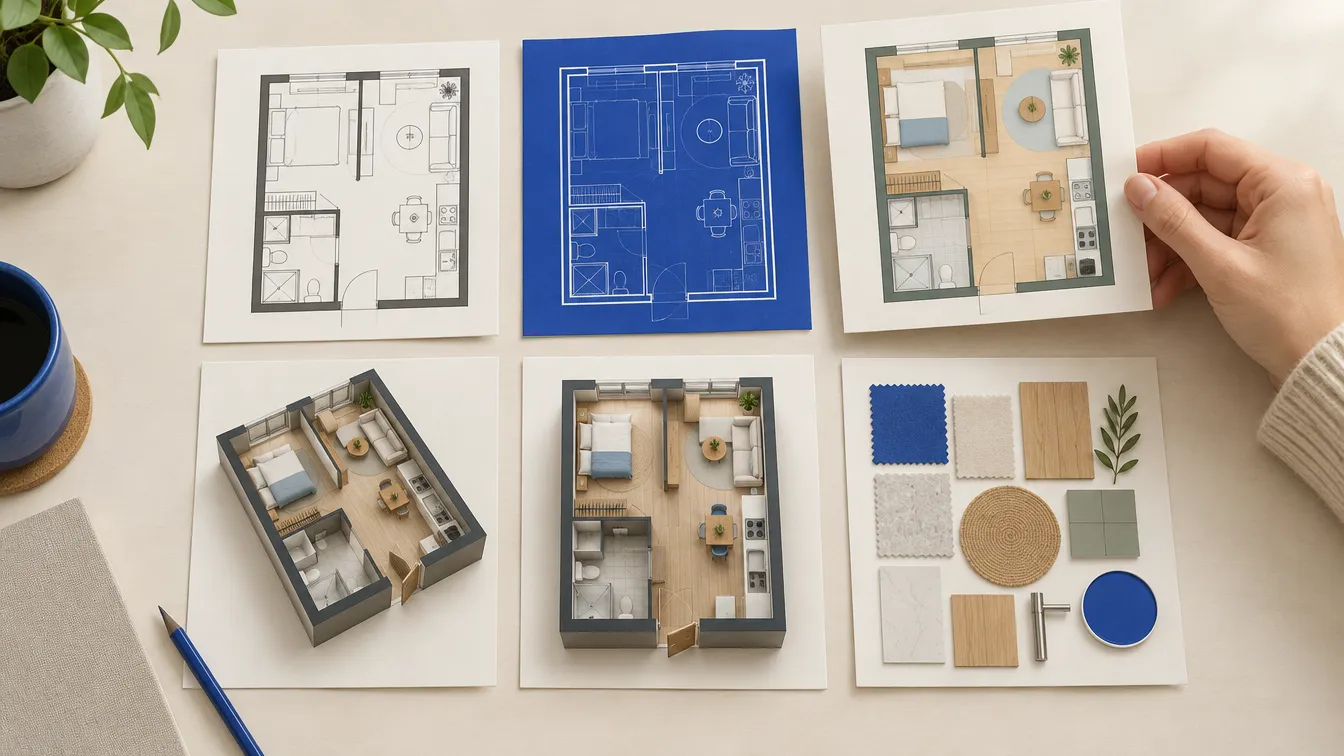
"AI floor plan generator" covers tools that do quite different things. Some turn a sentence into a plan you can keep editing. Some turn it into a picture. Others don't generate from text at all: they use AI to convert a drawing you already have into an editable model. Picking well starts with knowing which of those you need.
This article compares eight tools, including ours, on what they actually do, what they cost as of October 2026, who each one suits and where each falls short.
How we put this together
We make EZ Floor Planner, so this isn't a neutral review, and we haven't tried to dress it up as one. Instead, every fact about the other tools comes from that company's own homepage, pricing page or FAQ, read on 11 October 2026; the source links are at the end. We did not buy paid plans or run a benchmark, so there's no score or ranking. Tools are grouped by what you start with and listed alphabetically within each group. Our own entry states its limits in the same way as everyone else's.
Prices are in US dollars as shown on each company's US pages, exclude tax, and change often. Check the pricing page before you buy.
At a glance
| Tool | You start with | You get | Paid plans from (Oct 2026) |
|---|---|---|---|
| Coohom | A prompt, or a photo, sketch or PDF of a plan | Editable 2D plan with a 3D view | $25/mo billed yearly |
| EZ Floor Planner | A written brief, or one image plus a described change | A floor plan image in one of six styles | $4.95/mo billed yearly |
| Floor Plan AI | A prompt or a room form | A styled plan that opens in an editor | $19.99/mo, or $119/yr |
| Floor Plan Maker | A prompt, space type, area and style | A plan concept in three styles | Not disclosed |
| Home Design AI | A form or a prompt | 1–4 plan images in six styles | $19.99/mo, or $119/yr |
| Maket | A prompt; plan uploads on paid plans | Editable 2D plan, 3D view, renders | $20/mo |
| Planner 5D | An image or file of an existing plan | Editable 2D/3D project | $19.99/mo, or $59.99/yr |
| RoomSketcher | A computer-drawn plan (JPG, PNG, PDF) | Editable 2D/3D project | $12/mo billed yearly |
Tools that generate a plan from a description
Coohom
- What it does
- An AI Floor Planner inside a wider 3D home design platform. It generates layouts from prompts and converts photos, hand-drawn sketches or rough measurements into editable 2D plans, with a 3D view.
- Pricing
- Basic is free: 3 projects, 1K renders with a watermark. Pro is $25/month billed yearly ($300/year); Elite is $58 per seat per month billed yearly. Both were shown as a limited-time offer on the US pricing page. Enterprise is custom.
- Best for
- Going from a plan straight into interior design and rendering in the same tool.
- Limits
- Its FAQ says automatic multi-floor generation is not supported, and that CAD-compatible export depends on the plan. Coohom states the planner "does not replace licensed construction drawings."
EZ Floor Planner (ours)
- What it does
- Turns a written brief into a labelled floor plan image in one of six styles: Technical, Blueprint, Colored 2D, 3D Isometric, Realistic or Collage. You can also upload one PNG or JPG (up to 10 MB) and describe a change, or use the sketch-to-plan, plan-to-3D and virtual staging tools. The interface is in English and Chinese.
- Pricing
- Plans from $4.95/month billed yearly; monthly plans from $9.90; one-time credit packs from $9.90. The credit cost is shown before each run, and failed renders are refunded. New accounts get 10 welcome credits that can be used on the lowest-cost draft model only.
- Best for
- Quick layout options and presentation images from a description, when you want to compare ideas before paying for drawings.
- Limits
- The result is an image, not an editable plan: not to scale, with approximate dimensions and no drawing canvas. It downloads as PNG or a one-page PDF, but there is no DXF or DWG export today. Exportable 3D models and animation are planned, not live yet.
Floor Plan AI
- What it does
- Generates a plan from a text description or a Room/House/Custom form, which you can then open in its editor. Separate tools handle uploaded plans, sketch-to-plan, 2D-to-3D and animation. Its FAQ lists DXF, PDF, PNG and JPG exports.
- Pricing
- Starter $19.99/month or $119/year (200 credits), Professional $49.99/month or $299/year (600), Enterprise $99.99/month or $599/year (1,500). Credit packs: 200 for $29.99, 600 for $79.99, 1,500 for $149.99. A basic generation costs 1 credit, Pro mode 4.
- Best for
- Generation, an editor and DXF export in one browser tool, if you are happy to subscribe.
- Limits
- DXF export and manual drawing need a subscription; credit packs cover AI generation only. New users get free credits, but the amount is not stated. Its pages claim a "99.8% Accuracy Rate"; we have not tested that, so check dimensions as you would with any AI plan.
Floor Plan Maker
- What it does
- Takes a plain-English description plus a space type, area and style, and returns a plan concept in Blueprint, 2.5D or 3D Isometric style.
- Pricing
- Described as free for personal use, with no sign-up and no watermark on exports. We found no pricing page or paid plans as of October 2026.
- Best for
- Trying text-to-plan for a personal project without creating an account.
- Limits
- Its FAQ describes the output as completed layout concepts: to change one you regenerate it, or edit it by hand in its separate creator tool. It recommends having a licensed architect, contractor or designer verify measurements before construction.
Home Design AI
- What it does
- Generates 2D and 3D plan images from a form (property type, area, floors, rooms) or a prompt, in six styles including Colored 2D, Hand-Drawn, 3D isometric and Blueprint. You choose the aspect ratio and 1–4 images per run.
- Pricing
- Starter $19.99/month or $119/year (200 credits), Professional $49.99/month or $299/year (600), Enterprise $99.99/month or $599/year (1,500); one-time packs from $9.99 for 30 credits. DXF export and 4K are listed as paid features. The plan names, prices and credit allowances are identical to Floor Plan AI's.
- Best for
- Several style variations of the same layout in one run.
- Limits
- The free credit amount isn't stated, and the plan cards and the FAQ describe credit expiry differently, so confirm before buying. The generator page doesn't describe an editor for the result.
Maket
- What it does
- Turns a text description into an editable 2D floor plan, with rooms, walls, doors and dimensions, that you can refine by chatting with it, view in 3D and render. Paid plans can upload an existing plan as a PDF, JPEG or PNG.
- Pricing
- 30 one-time free credits with no card. Homeowner is $20/month (300 credits), Pro $100/month (3,000 credits), Scale on request; yearly billing is 17% cheaper. A floor costs 20 credits and a render 10.
- Best for
- Residential layouts you want to keep editing, with PDF and DXF export on a paid plan.
- Limits
- Free projects can be shared by link but not downloaded; exports are for paid plans. Maket says a qualified professional should review a design before construction or permitting, and that its plans should not be treated as construction documents.
Tools that turn an existing plan into an editable one
These two don't generate a layout from text. Their AI converts a plan you already have, such as a builder's PDF or a listing image, into a project you can edit, furnish and view in 3D.
Planner 5D
- What it does
- AI floor plan recognition converts an uploaded plan (PNG, JPG, PDF, DXF, DWG, TIFF and others) into a fully editable 3D project. AI Studio generates or cleans up plan visuals. We found no text-to-plan generator.
- Pricing
- A free plan with unlimited projects and half the catalog. Plan recognition needs Premium: $19.99/month or $59.99/year. Professional is $49.99/month or $399.99/year and adds CAD export.
- Best for
- Turning a builder's plan into a 3D model you can furnish and decorate, on the web or on mobile.
- Limits
- It asks for architectural, blueprint-like images, and you are emailed when recognition finishes. Recognition is not on the free plan.
RoomSketcher
- What it does
- AI Convert turns an uploaded computer-drawn plan (JPG, PNG or PDF) into an editable RoomSketcher project with 2D and 3D floor plans, 3D photos and 360° views. There is no text-to-plan option.
- Pricing
- The free plan includes 2 credits and one free AI conversion, with watermarked 3D snapshots. Pro is $12/month billed yearly ($144/year) or $24 monthly; Team is $35/month billed yearly or $70 monthly. After the first, a conversion costs 5 credits; on the free plan the pricing table lists $20 per floor.
- Best for
- An accurate, editable version of a plan you already have, for example for property listings.
- Limits
- AI Convert works best with clear computer-drawn plans; hand-drawn plans have to be traced manually. Drawing and editing use the RoomSketcher app on a computer or tablet.
How to choose
- You want a plan you can keep editing and export to CAD: look at Maket, Floor Plan AI and Coohom, and check which plan tier includes DXF.
- You already have a plan and want it editable or in 3D: RoomSketcher and Planner 5D are built for that, and Coohom converts sketches and photos too.
- You want to compare layout ideas quickly, in several looks: image-first tools like EZ Floor Planner, Home Design AI and Floor Plan Maker are faster to try and cheaper per idea.
- You need it in Chinese: EZ Floor Planner's interface is in English and Chinese.
- You need drawings for a permit or a builder: none of these replaces a measured drawing from a licensed professional. Several of the vendors say so themselves.
What none of them do
AI generation makes a plausible layout quickly. It does not survey your site, check that the structure works, apply your local building code or guarantee that the dimensions in the drawing are consistent. Some tools make a plan easier to correct afterwards, and that is a real advantage. Correcting it is still your job. Read any generated plan with the checklist in our guide on how to read a floor plan, and compare its rooms with standard room sizes before you rely on it.
If you're new to these tools, our guide to writing a floor plan prompt will get better results out of any of them.
Where EZ Floor Planner fits
EZ Floor Planner is the image-first option on this list: a written brief in, a labelled floor plan picture out, in the style you choose, with the cost shown before you run it. It's a good fit for exploring layouts and showing an idea to someone else. It's the wrong fit if you need an editable, measured drawing or a CAD file. For that, one of the editors above, or a professional, will serve you better.