How to Draw a Floor Plan, Step by Step
Measure a room, sketch it, choose a scale and draw walls, doors, windows and dimensions, by hand on graph paper or online. Tools, scales and common mistakes.
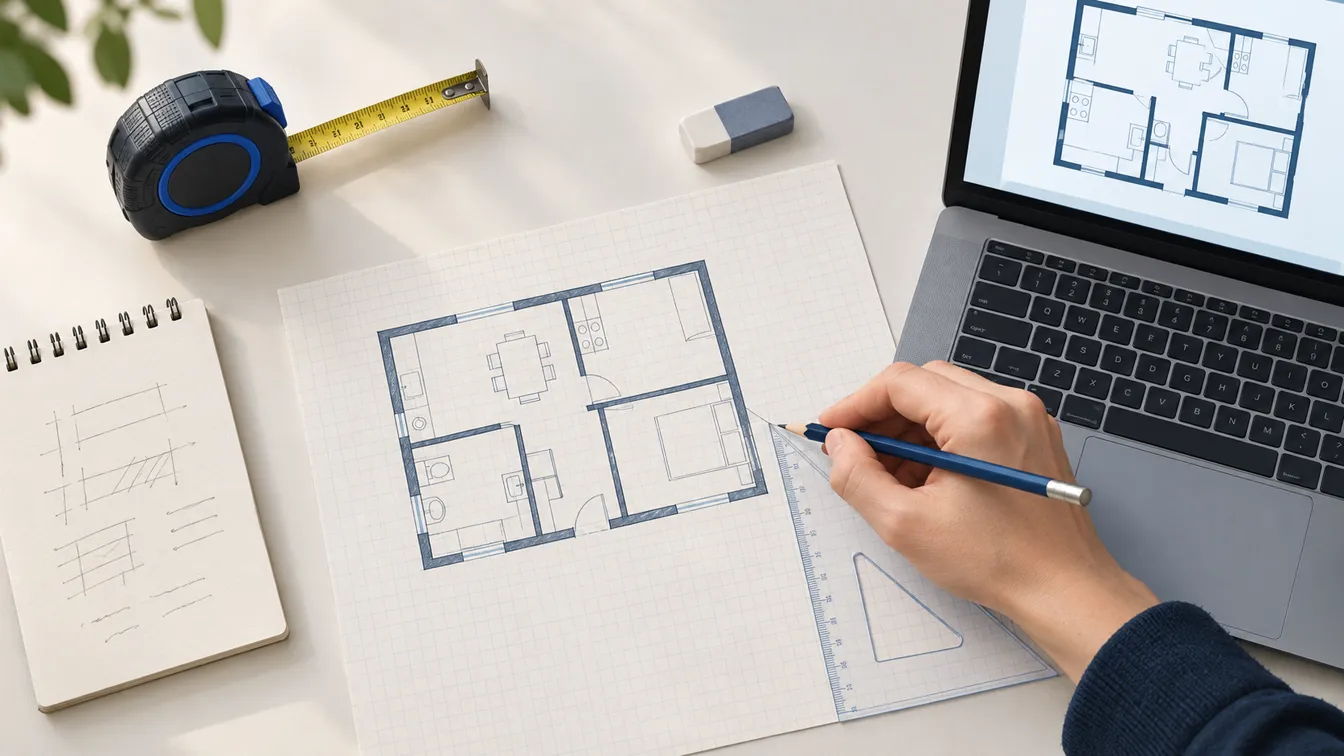
Drawing a floor plan is mostly measuring. The drawing itself, whether on graph paper or in software, is the quick part once the numbers are right. This guide follows the order a surveyor would: decide what the plan is for, sketch, measure, pick a scale, then draw from the outside in.
The steps are the same whether you end up with a pencil drawing or a file. Where they differ, both are covered.
What you need
For a plan by hand:
- A tape measure, or a laser distance measurer, which makes long walls and high ceilings a one-person job.
- Graph paper. Quarter-inch squares if you work in feet, 5 mm squares if you work in metres.
- A sharp pencil, an eraser and a ruler. A set square helps with right angles; an architect's scale ruler helps if you'll draw often.
- A clipboard and a second colour for writing measurements on your rough sketch.
To draw online you need the same tape measure. Software can't measure your room for you, unless it uses a phone's depth sensor, and even then it is worth checking a few walls by hand.
Step 1: Decide what the plan is for
How much detail you need depends on what the plan is for:
- Furniture and layout ideas: room outlines, doors, windows and radiators are enough. Being out by a couple of centimetres won't matter.
- A renovation quote or a conversation with a contractor: add wall thicknesses, ceiling heights, outlets and plumbing positions.
- A building permit: most authorities expect measured, professionally prepared drawings that meet local requirements. A homemade plan is a good brief for the professional, not a replacement for one.
Step 2: Walk the space and make a rough sketch
Before measuring anything, walk through the space with a clipboard and draw it freehand. It doesn't need to be neat or to scale. You're making a map to write the numbers on.
Draw every wall, including short returns and the boxed-in pipes and chimney breasts that are easy to forget. Mark doors with the side they hinge on and windows with their rough position. Note anything fixed: radiators, the boiler, the electrical panel, outlets, the kitchen sink, the toilet. If the plan covers more than one room, draw the rooms in the right relationship to each other, even roughly.
Step 3: Measure everything, the same way every time
Work around each room clockwise, starting from a corner, and write each measurement on your sketch as you go.
- Wall lengths. Measure along the floor or at a consistent height just above the skirting. Walls are rarely perfectly straight, and measuring at the same height keeps the numbers consistent.
- Openings. For each door and window, measure from the nearest corner to the edge of the opening, then the width of the opening. Measuring from a fixed point is what lets you place things accurately later.
- Wall thickness. Measure it at a door frame, where you can reach both faces.
- Diagonals. Measure both diagonals of each room. If they are equal, the room is rectangular. If they aren't, it isn't, and the diagonals are how you'll draw it correctly.
- Heights. Ceiling height, window sill heights and the height of anything that matters for furniture, such as a sloping ceiling or a low beam.
Step 4: Choose a scale
A scale lets the whole plan fit the paper while keeping every length proportional. Choose it so the largest room fills a good part of the sheet without running off the edge.
| Scale | On paper | Good for |
|---|---|---|
| 1:50 | 1 cm = 50 cm | One or two rooms on A4, furniture layouts |
| 1:100 | 1 cm = 1 m | A flat or one storey of a house on A4 or A3 |
| 1/4 in = 1 ft (1:48) | One quarter-inch square = 1 ft | US residential plans on quarter-inch graph paper |
| 1/8 in = 1 ft (1:96) | One eighth-inch = 1 ft | Larger homes or a whole floor on letter paper |
Write the scale in a corner of the sheet. If you plan to scan or photograph the drawing, add a short scale bar too, such as a line labelled 0 to 2 m. It stays correct if the image is resized.
Step 5: Draw the walls, outside first
- Draw the outer outline with light construction lines, using your measured lengths at scale. Start in one corner and work around.
- Check that it closes. If the last wall doesn't meet the first, one of the measurements is wrong. Find it now, not after you've drawn everything else.
- Give the walls thickness. Draw the inner face of each exterior wall at its measured thickness, then the interior partitions. Interior walls are usually much thinner than exterior ones, but use what you measured rather than a typical figure.
- Darken the walls once everything is in the right place. Walls are drawn with the heaviest line on a plan, which is why they should go in last.
Step 6: Add doors, windows and openings
Leave a gap in the wall for each opening, measured from the corner you measured from on site. Then draw:
- Hinged doors: a straight line for the leaf, drawn open at 90 degrees from the hinge side, and a quarter-circle arc showing the swing.
- Sliding and pocket doors: overlapping parallel lines, or a leaf sliding into the wall.
- Windows: two or three thin lines across the wall thickness, inside the gap.
- Stairs: the treads as parallel lines, a break line where the plan cuts the flight, and an arrow marked UP or DN.
If you're unsure how a symbol should look, our floor plan symbols guide draws the common ones.
Step 7: Add fixtures and furniture to scale
Draw fixed items first: kitchen units, bathroom fixtures, radiators. Then furniture, at its real size. Furniture drawn too small is the most common way a plan lies to its owner. Measure the sofa and the bed you actually own, or look up the dimensions of the ones you plan to buy.
The old paper trick still works: draw each piece to scale on card, cut it out and move it around the plan. Leave room to walk. A common rule of thumb is around 90 cm (36 in) for main routes through a room and around 60 cm (24 in) beside a bed. For typical room, door and furniture sizes, see our standard room sizes guide.
Step 8: Dimensions, labels and the finishing details
A plan isn't finished until someone else can read it without you there:
- Overall dimensions along at least two sides, outside the walls.
- Room labels with names and inside sizes, such as
Bedroom 2 / 3.0 × 3.4 m. - A north arrow, the scale, the date and what the drawing shows ("Ground floor, existing").
Then check it the way a stranger would. Do the dimension chains add up? Do the doors clear each other? Our guide on how to read a floor plan has a five-minute checklist for exactly this.
Drawing a floor plan online
Software does the same eight steps, but it handles the scale, the wall thicknesses and the arithmetic for you. The options fall into four groups:
| Approach | Good for | Watch out for |
|---|---|---|
| Dedicated floor plan software | Measured plans: walls snap together, dimensions update as you drag, furniture libraries | Learning curve; free tiers often limit exports or add watermarks |
| General design and whiteboard tools | Quick, nice-looking layouts from templates, easy sharing | Walls are shapes, not measured objects; scale and dimensions are up to you |
| CAD and 3D modelling | Precise drawings a professional can build from | Steep learning curve; overkill for a furniture layout |
| AI floor plan generators | Layout ideas from a written description in seconds | The result is usually an image: approximate dimensions, not to scale, not editable |
Whichever you choose, the measuring in Step 3 doesn't change. A floor plan app with a wrong number in it produces a neat, confident, wrong plan.
Common mistakes
- Forgetting wall thickness. Adding up the room widths without the walls in between gives an outline that's too short.
- Measuring openings from different reference points. Always measure from the same corner.
- Assuming the room is square. Check the diagonals.
- Door swings that collide with each other, with furniture or with a radiator.
- Furniture drawn from memory rather than measured.
- No scale, date or north arrow, so nobody can tell later what the drawing represents.
Where EZ Floor Planner fits
EZ Floor Planner is an AI image generator, not a drawing program, so it sits on either side of the steps above. Before you draw, you can describe the rooms you need and generate a few labelled layout images to decide what's worth drawing properly. After you sketch, you can upload a photo of the sketch and get a cleaner floor plan image to share.
What it won't do is replace the measuring. The images are not to scale, dimensions in them are approximate, there's no canvas for moving walls by hand, and there's no DXF or CAD export today. For anything that has to fit, or that needs a permit, work from a measured drawing.