2D vs 3D Floor Plans: What Each Is For
2D floor plans carry the measurements; 3D floor plans show how a space will feel. What each is good at, when to use which, and how AI renders fit in between.
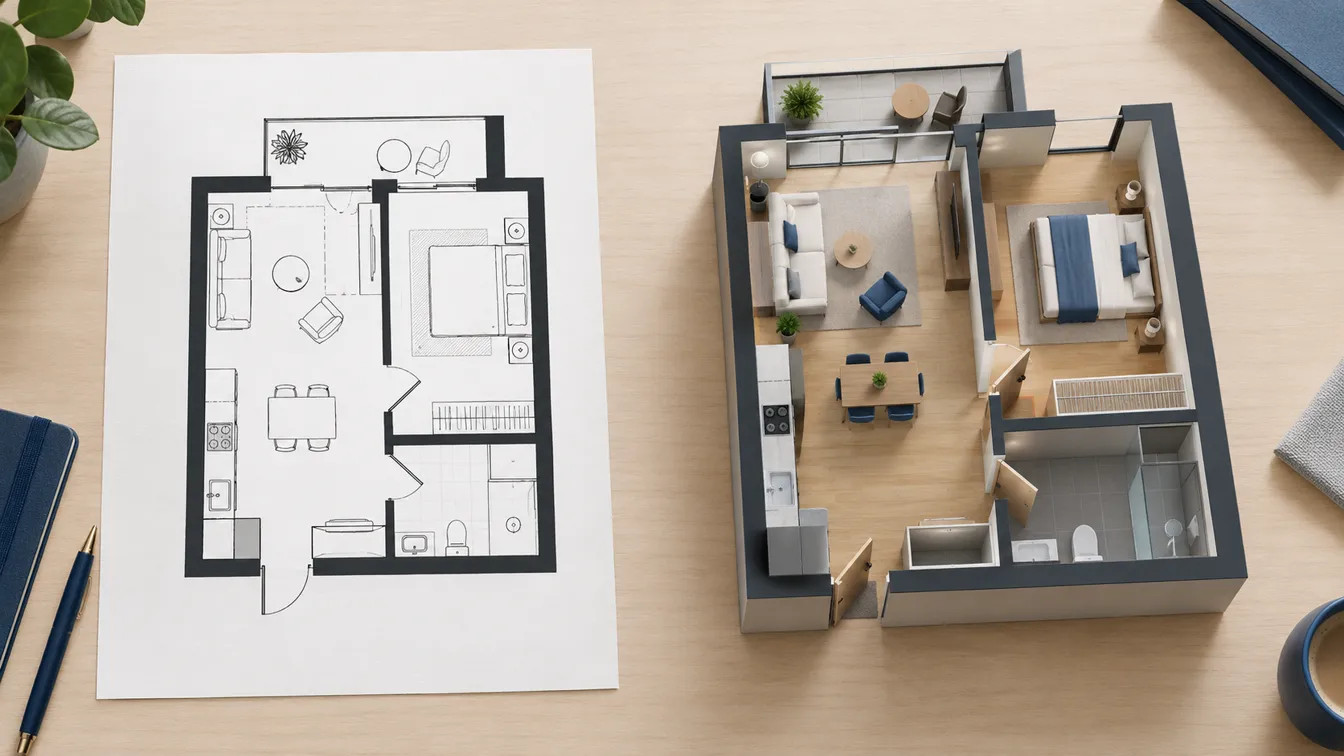
A 2D floor plan and a 3D floor plan can show exactly the same layout and still do different jobs. The 2D plan is the one you measure from, price from and build from. The 3D plan is the one people understand at a glance, the one that settles arguments about whether the sofa fits and what the room will feel like.
Most projects need both, at different moments. This article explains what each one is, where each falls short, and how to use them together.
What a 2D floor plan is
A 2D floor plan is a drawing of a building cut horizontally and seen from directly above, with no perspective. Walls are lines, doors are arcs, windows are thin strokes inside the wall, and every important length is written as a dimension. Because nothing is foreshortened, a length on one part of the drawing compares directly with a length anywhere else.
That makes 2D the working format:
- It can be measured. At a known scale, every distance on the sheet is a real distance.
- It's compact. One sheet holds a whole storey, with nothing hidden behind anything else.
- It's a shared language. Architects, builders, surveyors and planning offices all read the same symbols. If you've never learned them, our guide on how to read a floor plan explains them.
- It's what gets approved and built. Permit sets and construction drawings are 2D: plans, sections and elevations.
Its weakness is that it asks the reader to imagine. Many people look at a plan, see lines, and can't picture how big the living room actually is.
What a 3D floor plan is
"3D floor plan" is used for two different things:
- A 3D floor plan image: a rendered picture of the layout from above, usually with the walls cut at half height so you can see into every room. It's often drawn as an isometric view (no vanishing point) or a perspective "dollhouse" view, with furniture, flooring and light.
- A 3D model: the same thing as a live model you can orbit, zoom into or walk through, built in floor plan software or CAD.
Either way, 3D shows what 2D can't: volume, furniture at real scale, materials, how light falls and how rooms relate when you walk through them. For someone who doesn't read drawings, which is most clients, buyers and family members, it's far easier to understand.
What it loses is precision. Perspective makes distant things smaller, walls hide what's behind them, and nobody can take a dimension off a render. A 3D image also makes a layout look finished and attractive, which is useful for selling an idea and dangerous when the idea hasn't been checked yet.
The same apartment, both ways
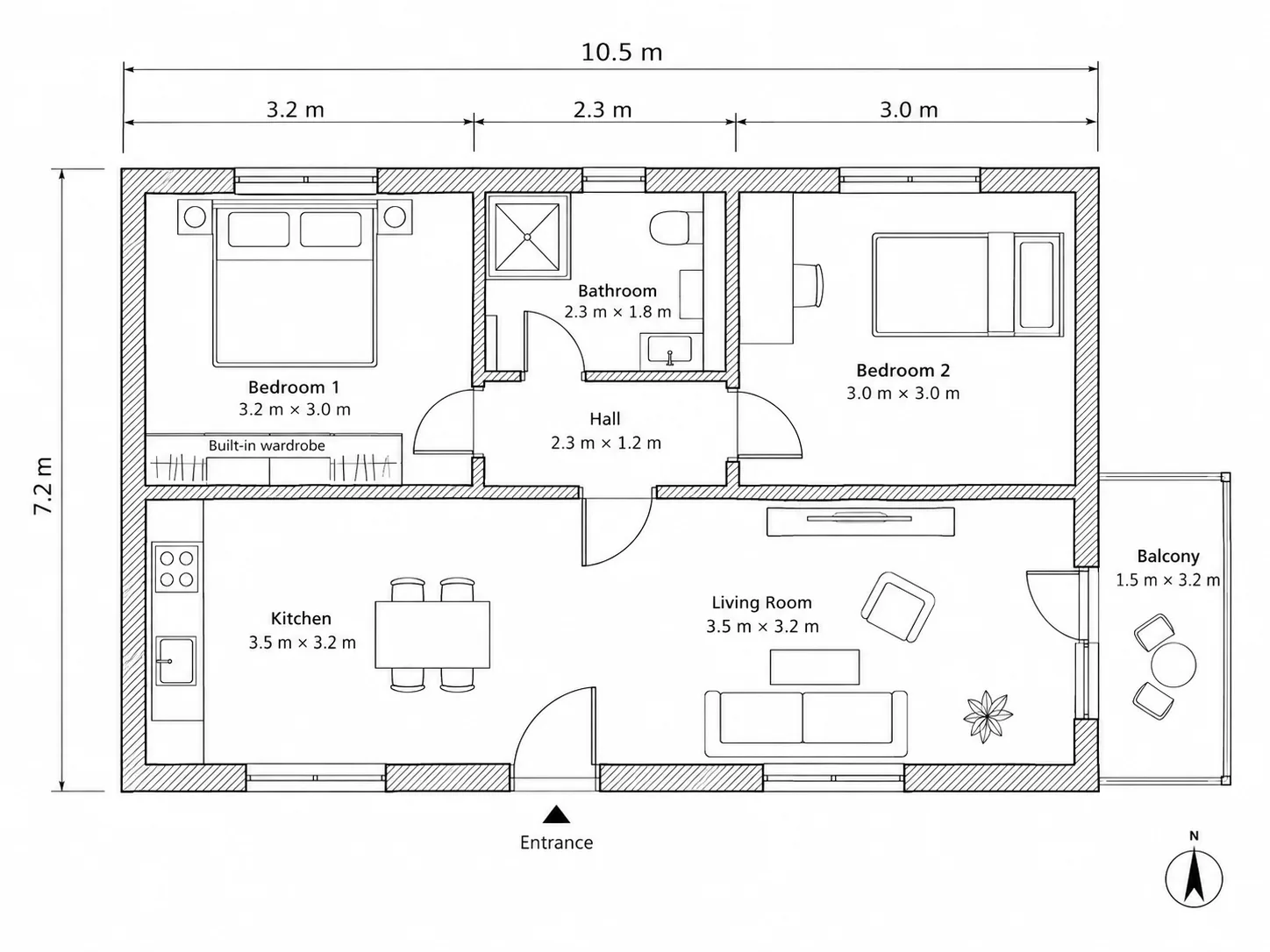
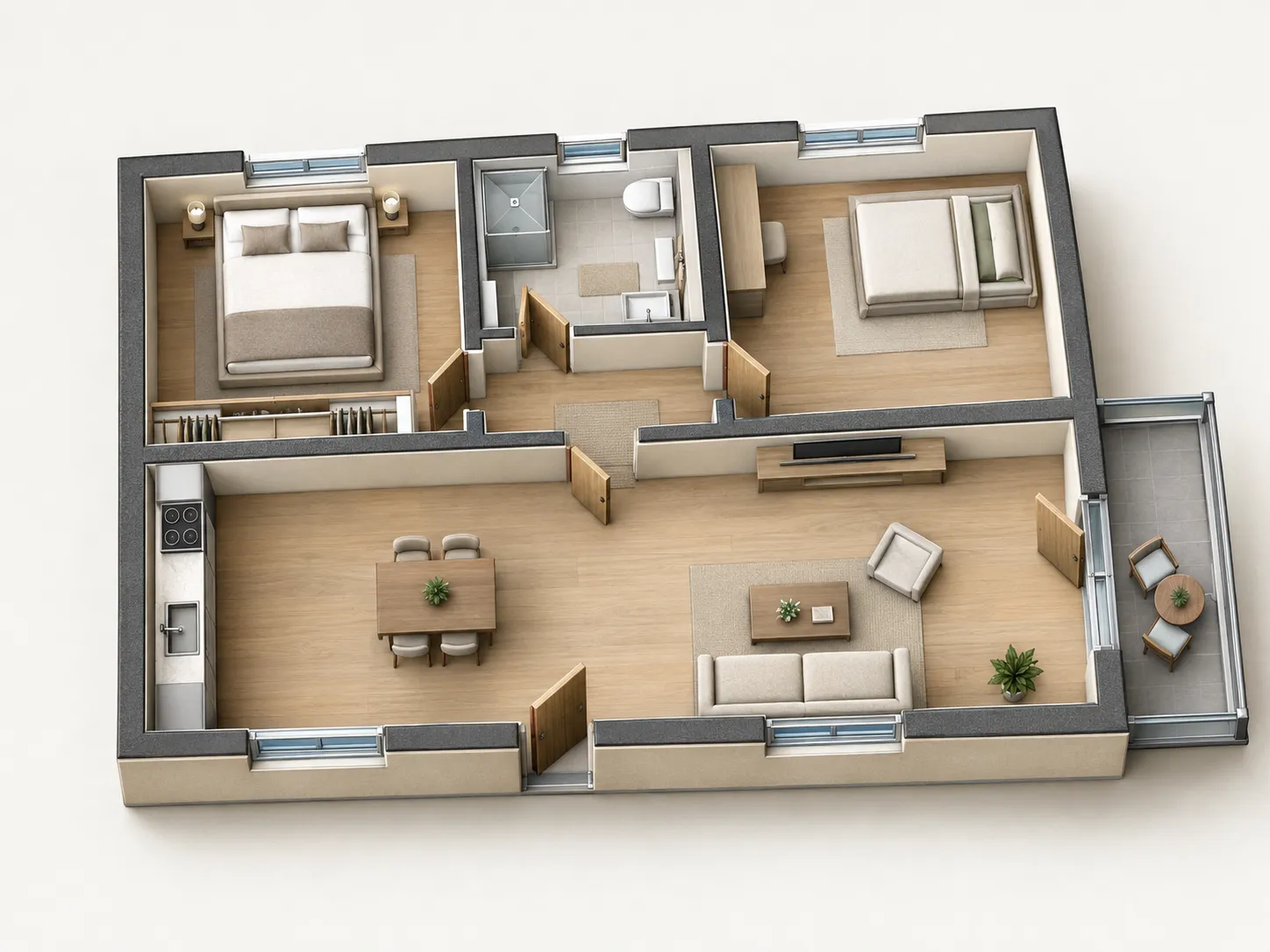
We generated both images with the GPT Image 2.5 models that EZ Floor Planner offers: the 2D plan from a written brief, and the 3D view by uploading that plan and asking for an isometric cutaway. The 3D view makes the apartment easy to understand. You can see straight away that the kitchen is a single wall of units and that the balcony opens off the living room.
The 2D plan also shows why you check AI drawings before you trust them. The three segments along the top, 3.2 + 2.3 + 3.0 m, add up to 8.5 m, not the 10.5 m overall dimension printed above them. In a 3D view that error is invisible. In 2D you can catch it with a pencil.
2D and 3D side by side
| Question | 2D floor plan | 3D floor plan |
|---|---|---|
| Can I measure from it? | Yes, if drawn to scale and dimensioned | No, perspective and cut walls distort lengths |
| Will a non-expert understand it? | Often not without help | Usually, at a glance |
| Does my furniture fit? | Yes, with furniture drawn to scale | Gives a feel for it, but check in 2D |
| Materials, colour, light | Not shown, or only as notes | Shown |
| Hidden areas | None, everything is visible | Walls and furniture hide parts of rooms |
| Time to produce | Quick once measured | Longer: modelling and rendering, or an AI render |
| Used for permits and building | Yes, as part of the drawing set | Rarely; supporting material at most |
| Used for listings and pitches | Often, as a floor plan | Increasingly, for impact |
Formats in between
Between a bare line drawing and a full 3D model there are a few common steps:
- Coloured 2D (sometimes called 2.5D): a normal 2D plan with rooms filled in colour or flooring textures, plus furniture symbols. Still measurable, much friendlier to read. Common in property listings.
- 3D isometric: a 3D view with parallel lines and no vanishing point. Rooms at the back are the same scale as rooms at the front, so it's the most honest 3D view of a whole floor.
- Perspective and walkthrough: eye-level or bird's-eye views with a vanishing point, as stills, 360° panoramas or animations. The most immersive, the least measurable.
- Elevations and sections: also 2D, but cut vertically. They show heights, which a plan can't.
When to use a 2D floor plan
- Planning a renovation: moving walls, kitchens and bathrooms all start on a measured 2D plan.
- Getting quotes: contractors price from dimensions, not from renders.
- Checking furniture: draw your actual furniture at scale on the plan. See our standard room sizes for typical dimensions.
- Anything official: permits, landlord approvals, insurance and anything that goes into a contract.
When to use a 3D floor plan
- Explaining an idea to someone who doesn't read drawings: a partner, a client, a buyer.
- Choosing between layouts when they look similar in 2D but feel different in 3D, for example an open kitchen versus a separate one.
- Picking finishes: flooring, colours and how much light reaches the back of a room.
- Marketing: listings and pre-sales, where people decide in seconds whether a home is worth a visit.
How 3D floor plans are made
There are three common routes:
- Modelled by hand in 3D or CAD software from a 2D plan, then rendered. Accurate and fully controllable, but it takes skill and time.
- Extruded automatically by floor plan software: you draw in 2D, walls rise to a set height, and you place furniture from a library. Fast and measurable, within the limits of the library.
- Rendered by an AI image model from a 2D plan or a written description. Very fast and often attractive, but the result is a picture, not a model. It can move a wall, drop a window or invent a door, so compare it with the 2D plan before you rely on it.
Where EZ Floor Planner fits
EZ Floor Planner covers the AI route, in both directions. You can describe a layout and get a 2D floor plan image in a technical, blueprint or coloured style, or upload an existing plan and get a 3D isometric view of it, as in the example above.
Both results are images, not models. You can't orbit them or measure them, the dimensions in a 2D result are approximate, and a 3D view may not match the plan room for room, so check it. Exportable 3D models and floor plan animation are planned, not live yet.